Disputed Transactions
The Disputed Transactions tab in the Accounting menu allows users to view and manage the A/R transactions that are in the Dispute status.
Breakpoint: 190045 - Disputed Transactions (Engineering - Accounting)
By default, the Show All option in the Transactions Date to display section is selected and all disputed transactions in the A/R account are displayed in the Account Transactions grid. However, the user can also filter and view records of transactions that are number of days past their posted date or invoiced date.
When the user clicks the More icon against any transaction in the grid, a list of additional actions that can be performed for that transaction appears. For more information, see the View Customer Transactions section under Accounting, in this document.
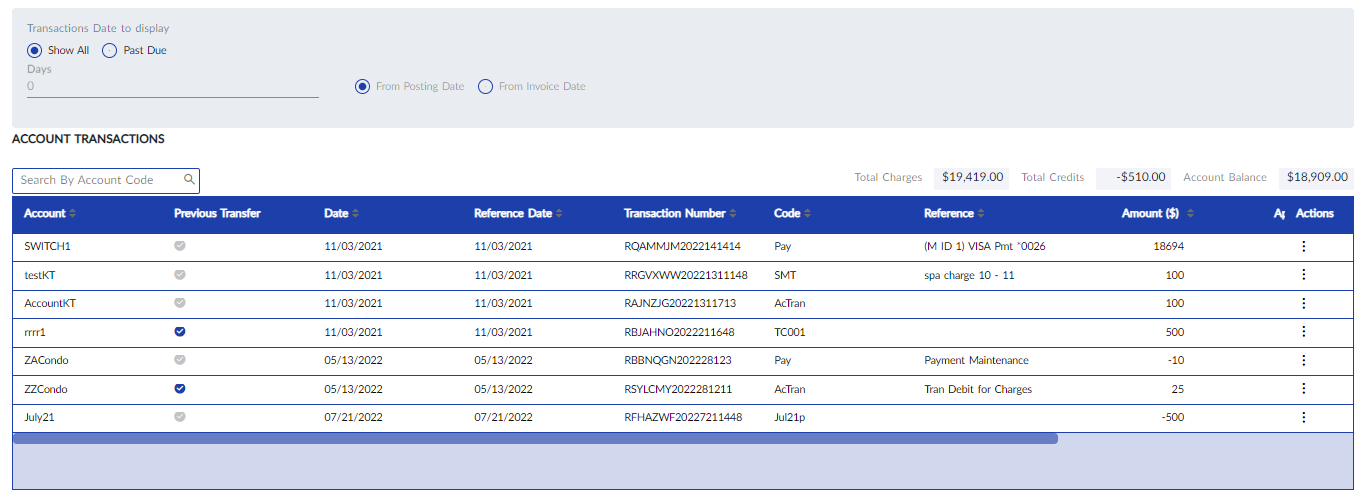
Users can also search for and filter transactions that are specific to an account by entering the account number in the Search By Account Code field.